How to Get Started With Drifully
From download to your first ride in minutes—everything you need to start moving effortlessly.
1. Download the app
Start by downloading the Drifully app from the App Store or Google Play. Everything you need to book, manage, and track your rides lives inside the app.
What happens here:
- You install the app
- Open it and begin onboarding
- Set up your profile in seconds
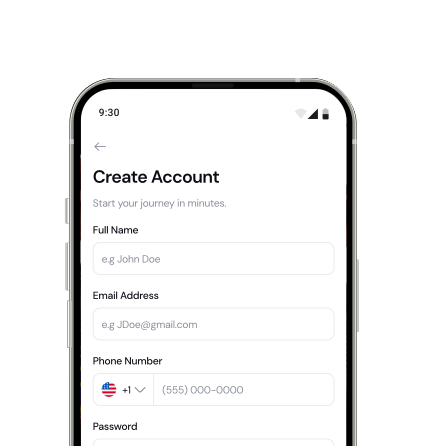
2. Create Your Account
Sign up using your phone number for fast and secure access.
What you'll need:
- Phone number (OTP verification)
- Basic profile details

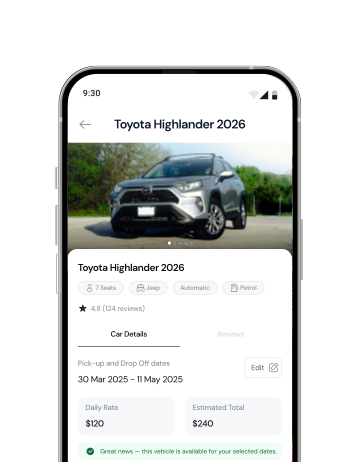
3. Choose Your Ride
Browse available vehicles and choose what fits your journey.
You can pick between:
- Self-Drive
- Chauffeur Service
Each car shows clear details so you can decide quickly and confidently.
4. Set Your Trip Details
Tell us where and when you need your ride.
You'll select:
- Rental duration
Everything updates instantly so you know what to expect.
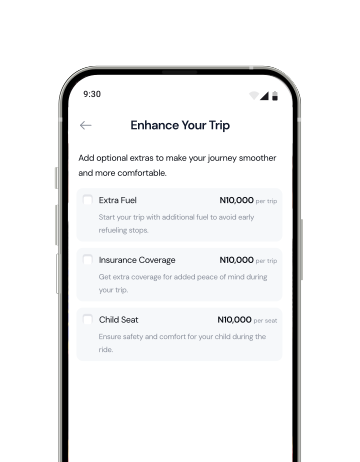
5. Add Extras (Optional)
Customize your trip with optional add-ons for comfort and convenience.
Examples:
- Child seat
- Extra fuel
- Special requests
Only pay for what you need.
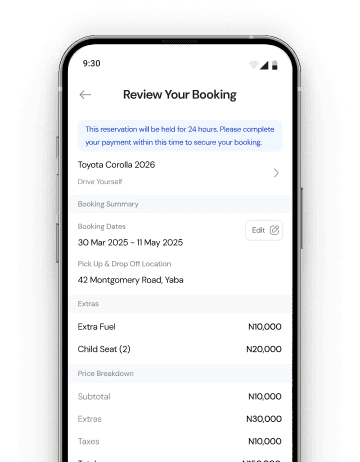
6. Confirm & Pay
Review your booking and confirm in one step.
What you'll see:
- Transparent pricing
- Trip summary
- Payment breakdown
No hidden charges. No surprises.

Booking Confirmed 🎉
Your vehicle has been successfully reserved for your selected dates.
7. Start Your Journey
Your ride arrives or is ready for pickup—depending on your choice.
From here, everything is handled in the app:
- Trip tracking
- Support access
- Extensions or rebooking
Just move.